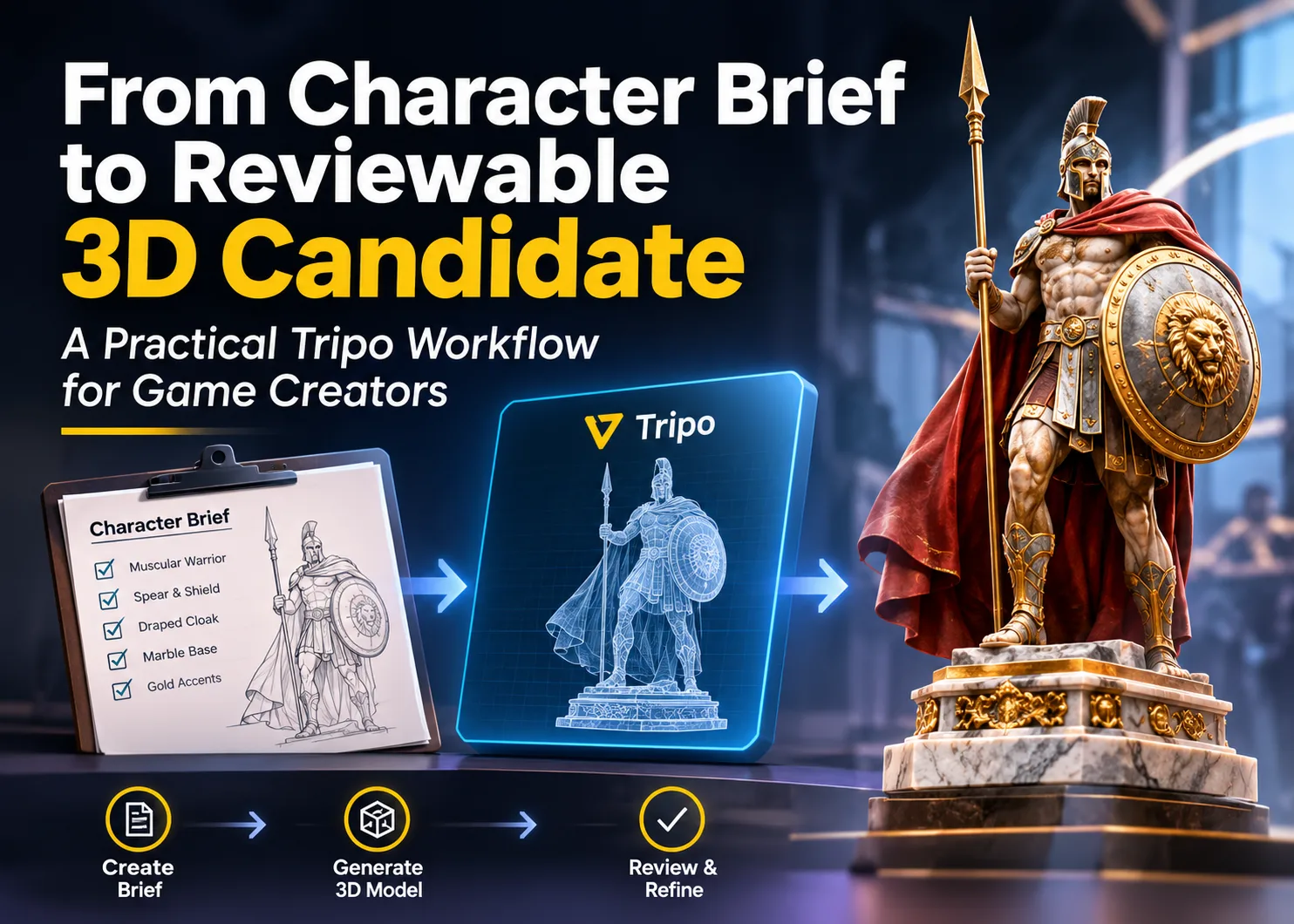
Until someone tries to create a 3D version of a written character brief, it can appear like a complete brief. There is no decision on the back of the cloak, shield mount, and underside of the base, as the spear, shield, and cloak can be clear. You can make all the models by hand, but it costs money to find out that the short was left with a simple question yet never answered.
Why a written brief can leave costly questions
A manual model allows the modeller to have closer control but also involves making choices about numerous facts that are absent from the source. Believable thickness and joins are important for even a small prop. In this warrior, the spear, shield, cloak, sandals and base all have an impact on the silhouette at card size.
It is OK to put off details of topology until concept review. The team's first need is a visible interpretation that can be turned around to be questioned, accepted, or rejected. Tripo could take that first pass faster by creating a model from a description in the text or a reference image.
So, for now, it will be referred to as a candidate. It provides a physical object to review, but it does not address hidden geometry, production needs or preferences.
Use Text to 3D if the visual direction is still not defined. This case contains the prompt: a muscular ancient warrior statue with a spear, shield, draped cloak, and marble base with gold accents. The wording identifies the subject, the biggest props, the clothes, the base and one accent material. It can be started again by someone else; perhaps a different generation will have a different understanding.
A prompt provides a description of the purpose but is not meant to name all the curves. However, Round Shield does not tell us its thickness or how it attaches to the forearm. Draped cloak leaves most of the back of the garment obscured. This is a good room for interpretation when exploring as long as the team does not consider it to be a true replica.
If the team has a helpful illustration or reference image, they might be able to use Image to 3D as a starting point. Use a source that has the complete subject and an outline that is easy to read. In this area, the crop should cover the tip of the spear, border of the shield, border of the cloak and both the feet. It wastes valuable inputs if the spear is cut off.
Review the warrior before refining it
This document will store the prompt and one generated candidate but will not retain all of the settings from the original run. Reviewing the result: the following steps illustrate how this can be done. They are not step-by-step instructions to duplicate the same mesh.
- Write down what must survive: Describe the characteristics of this warrior: upright spear, round shield, draped cloak and stable base. If they are not visible in the input, adjust the input accordingly.
- Choose an input method based on the material you have: The stage of proportions and ornament change is appropriate for text. An image is more suitable when the shape being shown is approved. Crop or lose the subject in the background of the image; clean the source before using it.
- Turn the model before judging it: Do not stop at the hero angle. Examine the silhouette before examining the spear hand, back of the shield, cloak and underside of the base. Typically, it is better to retake the large forms if they are not correct than to smooth the materials.
- Change one thing at a time: If the prompt is not long enough, clarify that in the prompt to the student. When the image is confusing, consider cropping or separating from the background. If the change was beneficial, it will be easier to detect if other factors are held constant.
- Let the defect choose the next tool: Editable parts can be separated by segmentation. Retopology may be used to convert a high-polygon model to a lower-polygon mesh and Smart UV may be used to generate and pack a UV layout. When a supported model requires motion, then rigging and animation comes into the picture. These steps can help, but they still don't get to a concept that wasn't picked up in the brief.
- Test the handoff, not only the preview: Import the selected candidate into the 3D application where it will be utilized and test its scale, orientation, materials and mesh behavior. Any model that is accepted for a still render may require different preparation for animation or printing.
Before generating a 3D candidate, creators can also explore AI character generators to develop character appearances, costume details, and visual references
Where this fits game and tabletop production
This 3D pass can indicate if the character is still “reading away” from the hero angle for a card-game creator. It can also be used for tokens, display pieces, scene props or promotional renders. The model becomes less abstract in class when it is given a silhouette, topology and UV layout.
The additional views reveal options not included in the written brief. The shield can be positioned to the side of the arm in a side view. The back may appear to be more of a guess than a design. Concept review is easier to discuss either issue than to discuss after cleanup has started. For promotional videos and cinematic presentations of game characters, AI tools for film title sequences can help creators build visual introductions that complement their 3D assets.
A good preview is not production approval
Predict the model's direction based on the subsequent location. Several different criteria must be considered when evaluating a printable figure, such as physical dimensions, wall thickness, supports and watertight geometry. For animation purposes, the team will be more concerned with the topology, joints, deformation and potential collision of the cloak, shield and spear with the body. Another set of constraints comes from the web viewer.
Tripo can present the 3D candidate to the team rather than allowing the idea to stay on the page. The actual approval is still dependent on the people who are reviewing, the tangible outcome, and the needs of the next tool.
Read More Blogs On: